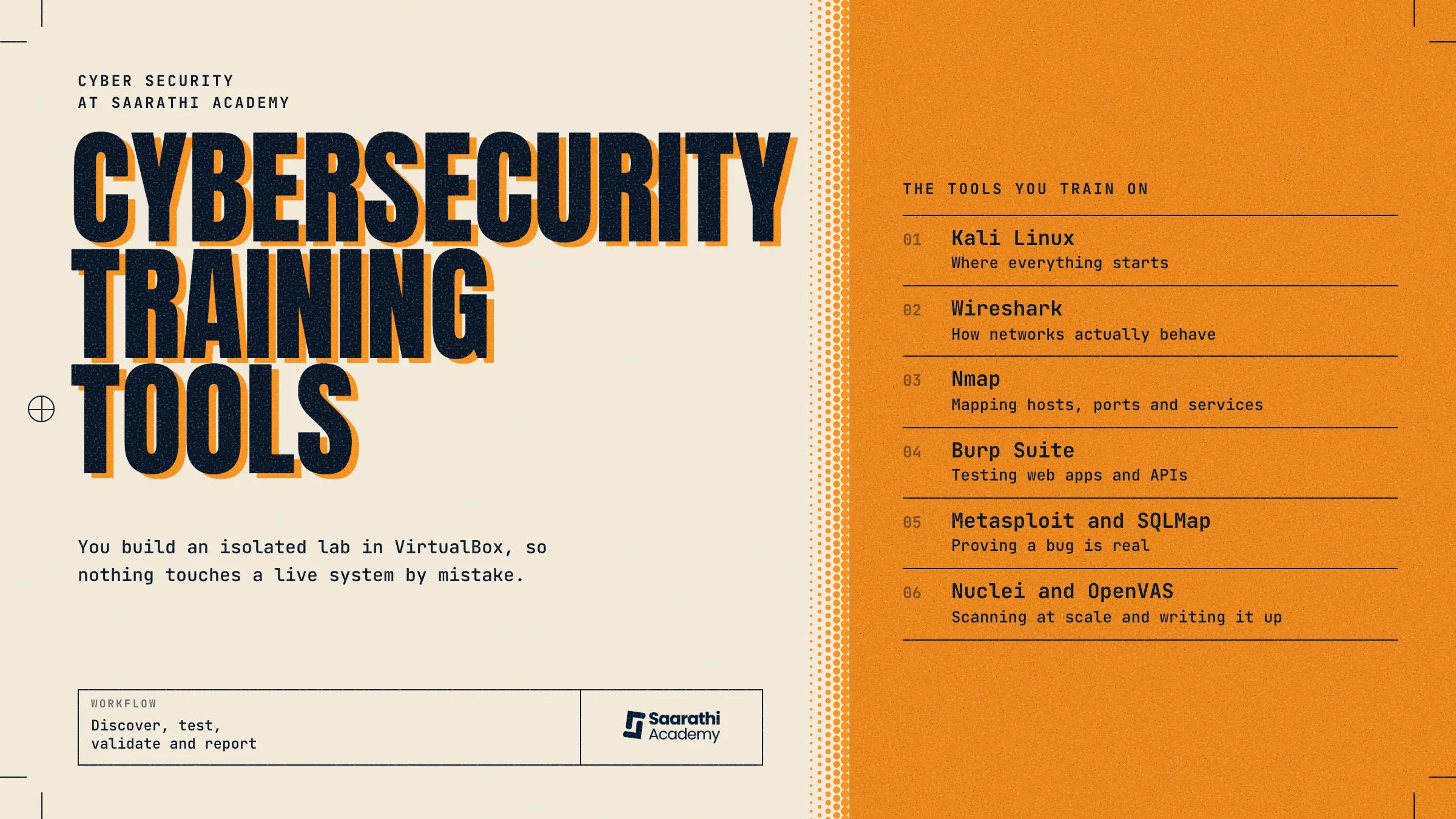
What are the cybersecurity training tools used at Saarathi Academy?
A lot of people picture cybersecurity as breaking into systems fast. Most of the real work is slow and methodical, one step after another.
You can't learn it from reading alone. You have to scan systems, look at network traffic, test applications and see for yourself how a vulnerability works. That is the job of cybersecurity training tools.
Our students at Saarathi Academy learn by doing, with the course built around VAPT. They begin with networking, go on to testing web apps and APIs, and end with professional penetration testing and report writing.
Below we go through each of the cybersecurity training tools our students use, and what it teaches them.
Why do tools matter so much in cybersecurity training?
Understanding what a vulnerability is and being able to find one are separate skills, and tools connect the two.
SQL injection is a good example. The definition takes five minutes to learn. Sending a modified request through Burp Suite and seeing a database hand back data it should have kept hidden is what makes it stay in your head. That's the reason cybersecurity tools for beginners matter so much in the first weeks: they let you see what is normally hidden.
At Saarathi Academy, each lab runs in three steps:
Discover: work out what is really on the network before you touch any of it.
Test: prod, probe and attempt to break things, always inside a controlled lab and nowhere else.
Validate and report: check that what you found is real, collect the evidence, and explain it clearly enough for a developer to fix it.
Self-taught learners often struggle most with that last step. Finding a bug is the easy bit. Writing it up so a client or an employer can use it is much harder.
The cybersecurity tools used at Saarathi Academy
We don't hand students a list of 20 tools in random order. They meet each one at the stage where it's needed, like this.
1. Kali Linux: where everything starts
Students work inside Kali from the first week to the last, so it comes first.
Ignore the "hacking OS" tag. Kali is better thought of as a well-stocked toolbox: a Linux distribution that ships with hundreds of security tools ready to use, so the first week isn't spent downloading things.
In the early classes, students get used to:
Linux basics, such as moving around the terminal, installing packages and setting file permissions.
How Kali's tools are grouped and kept up to date.
Setting up a separate lab in VirtualBox so nothing reaches a live system by accident.
Working from Kali in every later stage, scanning through to reporting.
If you skip this, everything after it is harder. Much of learning Nmap or Metasploit is simply being at ease typing commands instead of clicking buttons.
2. Wireshark: learning how networks actually behave
When students are settled in Kali, the course turns to networking, and Wireshark is the first proper tool they use.
Wireshark captures network traffic and shows it in a form you can read. Students use it to learn:
How packets travel from one device to another.
Main protocols such as TCP/IP, DNS and HTTP.
How to follow a single client and server conversation from beginning to end.
How to filter out the noise and keep the traffic that matters.
How to notice traffic that looks wrong, for example a scan under way or data slipping out of the network.
The goal here is simple. You can only spot strange behaviour on a network once you know what normal looks like, and Wireshark teaches you normal.
We bring Wireshark in early and keep it basic to begin with. Advanced traffic analysis is wasted on someone opening a packet capture for the first time.
3. Nmap: mapping hosts, ports and services
Nmap turns up in nearly every real assessment. You can't test anything until you know what's there.
Students learn the steps in sequence: choose a target, find the live hosts, scan their ports, work out which services are running, then enumerate those services for detail.
Leave this out and you miss things. Students who go straight to exploitation without scanning tend to overlook the easy finding that was in plain view the whole time.
Nmap also comes with a scripting engine that can point out known vulnerabilities and misconfigurations while it scans. That makes a useful lead-in to the vulnerability scanners students use later.
4. Burp Suite: testing web apps and APIs
With networking in place, the course moves to web and API security, and Burp Suite becomes the main tool.
Burp stands between the browser and the site you're testing, so you can catch requests and change them before they are sent. Here the OWASP Top 10 is no longer something you learn by heart. You trigger the problems yourself, such as broken authentication or an API giving away data it should protect. Students practise on targets that are safe and legal to attack, including OWASP Juice Shop and PortSwigger's labs.
5. Metasploit and SQLMap: proving a bug is real
Spotting a possible vulnerability is half the work. The other half is showing it can really be exploited and isn't only a theory.
Metasploit shows students how a known vulnerability is exploited in practice, inside a lab and with permission. SQLMap finds and confirms SQL injection flaws automatically, so you don't have to test each input by hand.
Both teach one lesson. An exploit nobody can follow is of little use. An exploit written up step by step, with evidence, is what the job needs.
6. Nuclei and OpenVAS: scanning at scale and writing it up
Near the end of the course, students use Nuclei and OpenVAS to scan bigger environments and rate the known issues they find with CVSS scores.
This is where the earlier stages meet. Each Nmap scan, each Burp Suite finding and each confirmed SQL injection goes into a single report. In a real VAPT job, that report is what the client pays for, not the raw scan output.
Final thoughts
Knowing the most tool names won't get a pentester hired. Employers want someone who can look into a system, find its weak points, prove them and explain the fix to a person who isn't a security specialist.
At Saarathi Academy, we don't teach cybersecurity training tools like Kali Linux, Nmap, Wireshark, Burp Suite, Metasploit, SQLMap, Nuclei and OpenVAS as a checklist. Students meet them in the same order a real assessment follows: networking and recon first, then web and API testing, then vulnerability triage and a professional report.
When you compare VAPT training in Nepal, look past the list of tools a course names. Ask what order they are taught in, how much lab time you really get and who checks your final report. Those answers tell proper cybersecurity training in Nepal apart from a playlist of tutorials with a certificate at the end.