DaVinci Resolve vs Premiere Pro vs CapCut: Which Should You Learn in Nepal?
You search YouTube for video editing tutorials, and suddenly everyone has a different recommendation. One creator says DaVinci Resolve is the future. Another swear by Premiere Pro. Your friends tell you to simply use CapCut.
You are already permanently stuck without having ever cut any of your clips!
This is just a confusion and is a waste of beginners' time for weeks. It is defined by your choices of what you're creating, how much your budget is, your laptop, and where you want your career to go.
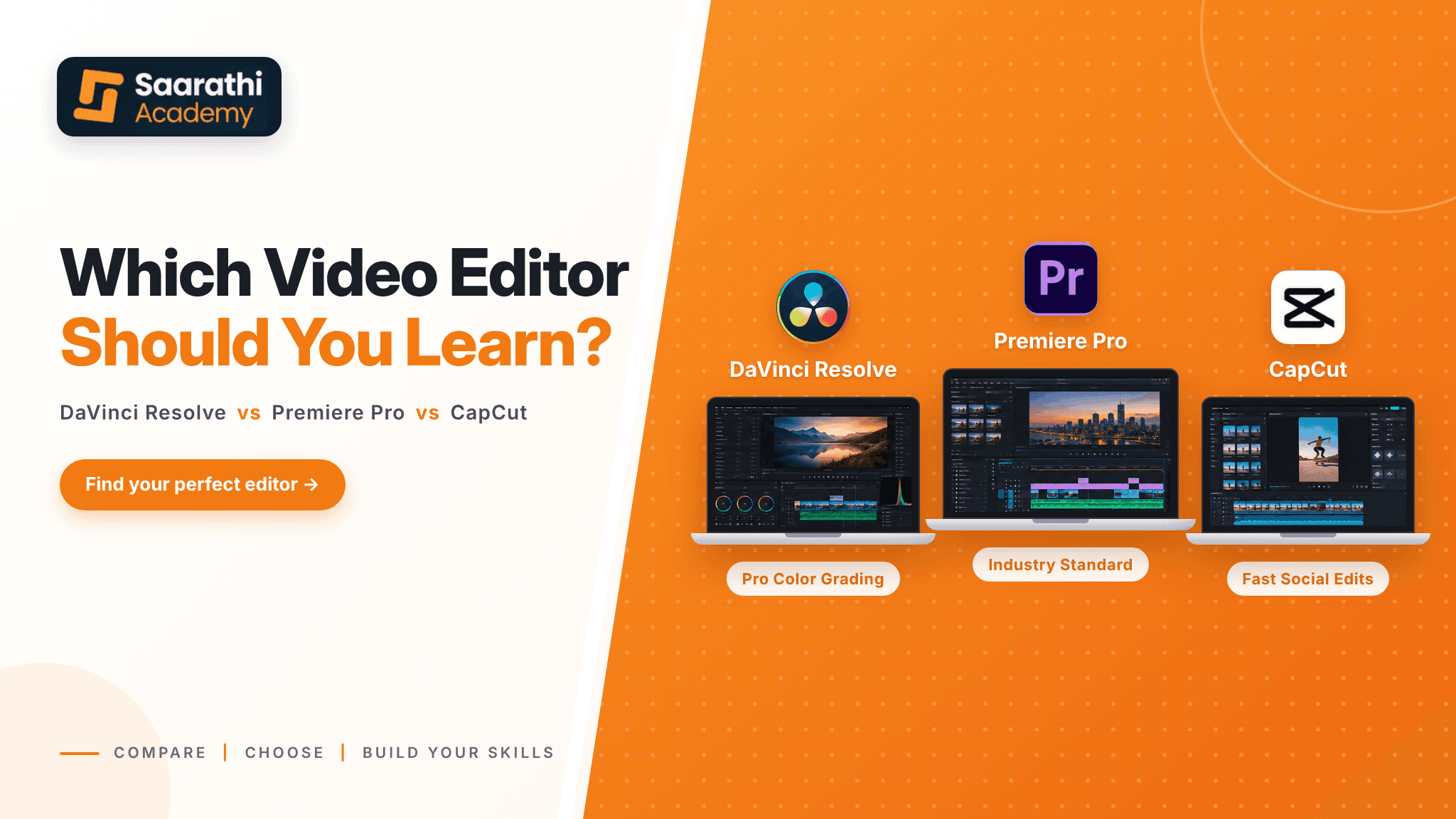
In this simple yet useful guide, let's provide you with an overview of DaVinci Resolve vs. Premiere Pro vs. CapCut and choose your preferred option to begin editing with confidence.
DaVinci Resolve, Premiere Pro, and CapCut: What's the Difference?
All three can cut a video. The difference is who they are built for.
Factor | DaVinci Resolve | Premiere Pro | CapCut |
|---|---|---|---|
Beginner friendliness | Moderate | Moderate | High |
Free option | Yes. | Free trial rather than a full free version | Yes. |
Professional editing | Yes. | Yes. | Yes, depending on the project. |
Color grading | Strong | Strong | More streamlined |
Audio | Advanced | Advanced | Simpler |
Motion graphics | Fusion | Strong with the Adobe ecosystem | Templates/keyframes |
Short-form content | Strong | Strong | Strong |
Mobile workflow | Limited compared with CapCut | Mobile available | Strong |
Operating systems | Windows/Mac/Linux | Windows/Mac + mobile | Windows/Mac/mobile/web |
Pricing model | Free + Studio | Subscription | Free + paid plans |
Best suited to | Broad professional workflow | Professional/Adobe workflow | Fast social content |
DaVinci Resolve: An all-in-one video editing and post-production software for editing, color, audio, visual effects, and motion graphics.
Premiere Pro: The default editor Adobe has used for years, used by most agencies and professionals.
CapCut: A quick, straightforward editor for fast videos.
Choose CapCut for speed, Premiere Pro for professional workflows, and DaVinci Resolve for powerful editing with a strong free option. There’s no wrong choice—just the right tool for your goal.”
DaVinci Resolve: A Great Starting Point for Serious Editing
DaVinci Resolve has been designed from the very beginning as a color grading suite but has then turned into a complete post suite. That history shows. It offers some of the best color tools and has a lot of good features even in its free version.
Think you're about to create a travel vlog. Resolve allows users to use its cutting tools on the Edit page, color correction tools on the Color page, and Fairlight page tools for cleaning up audio signal timing, without having to exit the program. As you learn, you practice a full production pipeline.
What can you do with DaVinci Resolve?
Video editing
Color correction and color grading
Audio editing
Visual effects
Motion graphics
Professional exports
The free version is important because a student gets to learn software that he needs whenever he needs it, but he is not paying any money for the software. The paid-for Studio version offers additional effects and tools, but that's not required on the first day.
This is one issue of caution: On older laptops, Resolve can feel somewhat weighty, particularly if they have a flaky graphics card. Use it with small (1080p) projects before making any judgments.
Who should learn DaVinci Resolve?
Beginners who want to learn editing properly
YouTube creators and freelancers
Aspiring professional editors
People who love color grading
Learners with a limited software budget
If you want a powerful tool that grows with you, DaVinci Resolve is a solid place to begin.
Premiere Pro: A Popular Choice for Professional Video Editing
Premiere Pro is widely used in professional video workflows and is part of Adobe's wider creative ecosystem. Job listings often mention it by name, and it fits neatly into the wider Adobe family.
Think about a typical agency job. You receive a client's interview footage, cut it, add a title made in After Effects and send a revision the next morning. Premiere Pro is built for exactly this kind of back-and-forth, which is why teams like it.
What makes Premiere Pro useful?
A familiar, professional timeline
Multicam editing for interviews and events
Smooth audio and video workflow
Easy movement between After Effects and Photoshop
Who should consider Premiere Pro?
Freelancers who work with agencies
Professional editors
People who already use Adobe software
Editors who want to move into motion graphics with After Effects
One thing to plan for: Premiere Pro works on a subscription. For many students in Nepal, a monthly fee is a real consideration, so check the current plans on Adobe's website before you commit.
CapCut: Is It Enough for Modern Content Creation?
You probably know CapCut already. Many beginners meet it while making Reels, TikTok-style clips, or Shorts on their phone.
It now offers more than basic mobile editing. You get:
Auto captions
Ready-made templates
Keyframes
Basic color tools
AI-powered features
A desktop version
Picture a small shop owner in Kathmandu who wants a 20-second product video for Instagram. With CapCut, they can add a template, auto captions and music in one evening. That speed is its biggest strength.
Who is CapCut best for?
Reels and Shorts creators
Beginners
Social media managers
Small businesses
Anyone who needs to edit quickly
The limit appears with bigger work. For long, complex, or client-heavy projects, you may eventually want a more advanced editing workflow.
Which One Should You Learn? It Depends on Your Goal
People searching for DaVinci Resolve vs. Premiere Pro vs. CapCut often want a single winner. There isn't one. Start with your goal.
If you mainly want to make Reels and Shorts
CapCut is the quickest path. Templates, captions, and simple tools let you publish the same day you start learning. If your videos are short and vertical, you may not need anything heavier for a long time.
If you want to become a professional video editor
Both DaVinci Resolve and Premiere Pro are strong. Resolve gives you editing and color in one place. Premiere Pro gives you a workflow many studios already use. Look at the job posts or clients in your area, and let them guide your choice.
If you want to start freelancing
Clients care about results, a good portfolio, and a reliable process. Learn one tool well first. Over time, adding a second tool helps you take on different clients. A freelancer who can also make quick social cuts in CapCut often wins more small business work.
If you have a limited budget
DaVinci Resolve's free version and CapCut's free option let you practice without spending. Premiere Pro costs a monthly subscription, so it suits you better once editing brings in income.
If you love cinematic videos and color grading
Choose DaVinci Resolve. Its color tools are why many editors use it, and you can practice grading on your own footage for free.
Do not pick software because someone online calls it the best. Pick the one that fits the work you want to do.
Can Your Laptop Handle Video Editing?
Editing speed depends on your RAM, processor, graphics card, SSD, storage space, and video resolution. Editing 1080p footage is much lighter than working with large 4K projects.
If your laptop struggles, try proxy files. These are lighter copies of your footage that make playback smoother while you edit, and both DaVinci Resolve and Premiere Pro support them. Keeping your project files on an SSD also helps.
You do not need an expensive editing PC to begin. Start with the laptop you have, learn the basics, and upgrade only when your projects truly demand it.
Do You Need to Learn All Three?
No, don't learn the three interfaces at a time; it will impede your learning speed.
Start one at a time – learn one, try it out a few times, make projects with it, develop a portfolio, then learn another tool! Of course, the basic elements of editing (cuts, pacing, and sound) will not vary from one place to another, so your second tool will be easier to master than your first. When most editors switch back and forth, the thinking doesn't switch either, but the buttons do.
What Matters More Than the Software You Use?
A beginner with the most expensive software can still make a boring video. Good editing is about choices, not buttons.
Take a simple interview video. The editor who trims the pauses, fixes the audio, and adds clear captions will beat the editor who adds ten flashy effects. Viewers forgive a plain look. They rarely forgive bad sound or a slow start.
Focus on these:
Storytelling and timing
Clean cuts
Clear audio
Color and visual consistency
Captions that are easy to read
Understanding your audience
Clear communication with clients
The software is your tool. Your editing skills are what make the video good.
Want to Learn Video Editing in Nepal?
Random tutorials can teach you buttons, but they rarely teach you how to finish real projects. Structured training can save you months of trial and error. If you're comparing your options, our guide to the best video editing course in Kathmandu can help you understand what to look for in a practical course.
Saarathi Academy video editing program covers DaVinci Resolve, After Effects, and CapCut. You work on color correction and grading, sound design, and motion graphics through practical projects, then build a portfolio. Mentor feedback and career preparation come with small batches, so you get proper attention.
If you want structured video editing training in Nepal, you can explore Saarathi Academy Video Editing Course.
Final Thoughts: Start With One and Keep Creating
Below is the short synopsis of DaVinci Resolve vs. Premiere Pro vs. CapCut. CapCut is free and hassle-free for social content. DaVinci Resolve is a great tool to learn editing, color, and post-production skills. Perfect for pro and Adobe workflows in Premiere Pro.
The aim here is not to look for perfection when it comes to software. I will just have him pick one and show him how to make a basic video, and he's off. To assist you on the way, you can opt for a video editing course in Nepal at Saarathi Academy.