
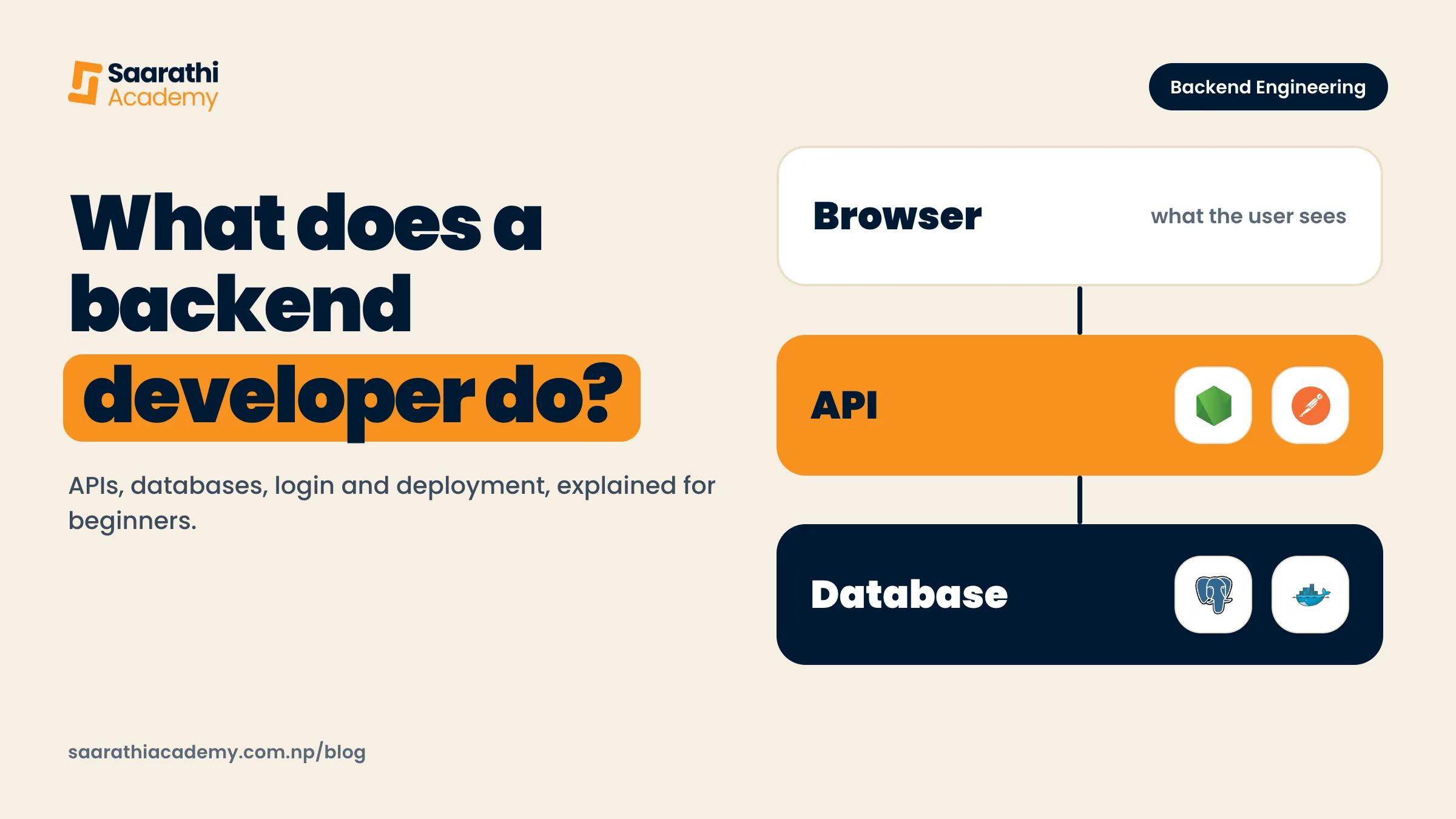
Backend is the part of an app or website that runs on a server, out of sight. A backend developer writes the code that takes a request from your phone or browser, checks who you are, reads or saves data in a database, and sends an answer back. The screen you tap is the frontend, and everything after the tap is backend. Most of the job is building and looking after APIs (the doors one program uses to ask another for data), the databases behind them and the servers they run on.
Frontend and backend, in one everyday example
Take paying a shop with a mobile wallet. You open the app, scan a QR code, type an amount and press pay. The buttons, the amount box and the green tick at the end are frontend.
A lot happens in the two seconds after you press pay. A server checks that the request really came from your account and not from someone who stole your phone number. It checks your balance. It takes the money out of your account and adds it to the shop's, and both changes must happen together or not at all. It records the payment so it shows up in your history, sends a message back to your phone saying it worked, and maybe sends the shop a notification too. You see none of this. All of it is backend.
Every company builds its system its own way, so treat this as a rough picture. The same jobs turn up in almost every app, though, whether it is a food order, a bus ticket, a college result page or an exam form.
What a backend developer actually does in a week
People picture backend work as writing new code all day. Some of it is. A normal week is more of a mix:
- Building or changing an API endpoint. An endpoint is one address the app can call, say one that returns a user's past orders, and you decide what it accepts, what it checks and what it sends back.
- Database work. You design tables, write queries to read and save data, and add an index (a lookup shortcut) when a query gets heavy and some page starts loading slowly.
- Authentication, which is proving a user is who they say they are, and authorisation, which is deciding what that user is allowed to do. A student should see their own marks, not everyone's.
- Fixing bugs that testers, the frontend team or real users report. The bug often isn't where the error shows up, so you spend a lot of time tracing a request step by step.
- Reading logs, the notes a server writes about what it did. When something breaks at night, the logs are how you find out what happened.
- Deploying: putting the new version of the code on the live server without breaking it for people who are using it.
- Code review, both ways.
You'll also read a lot of HTTP status codes, the short numbers a server sends back with every answer. MDN, the main reference for web developers, groups them so that codes in the 400s are client errors and codes in the 500s are server errors. A 404 means the thing you asked for wasn't found. A 500 means the server hit a problem it couldn't handle, and if you're the backend developer, that 500 is usually yours to fix.
Languages and frameworks Nepali job ads ask for
A framework is a ready-made structure for a language. It handles the boring, repeated parts so you only write what is specific to your app. Scroll through backend job posts from Kathmandu companies and the same few names keep coming up:
- PHP with Laravel. Lots of local companies and agencies build client websites and business systems with it, which is why it is all over Kathmandu ads.
- Node.js with Express or NestJS. In its own words, Node.js is a JavaScript runtime environment that lets developers create servers. You see it more in product companies and on remote or international teams.
- Python with Django or FastAPI. Python is used in data and AI roles as well, so some teams pick it to keep one language for both.
- Java with Spring Boot, mostly in ads from larger companies.
Nearly every ad also wants SQL, at least one database such as PostgreSQL or MySQL, and Git. Many ask for some Docker and basic Linux on top. The language changes from company to company, but requests, databases, authentication and deployment work the same way underneath it. So once you know one stack well, a second one comes far faster than the first did.
What to learn first, and in what order
Most beginners start with a framework because that is where the tutorials start. It's the wrong way round. When something breaks, you can't tell whether the problem is in your code, the framework or the web itself. We would go in this order:
- How the web works: what a request and a response are, what HTTP is, and what a URL actually points to. Learn the Linux terminal and Git alongside it, since you'll use both every day.
- One programming language, learned properly. Variables, functions, loops, objects and error handling, until you can solve small problems without copying.
- Asynchronous code, meaning code that waits for something slow, like a database, without freezing everything else. Backend code spends a lot of its life waiting.
- One framework, and a simple REST API built with it. REST is a common way to design APIs around things like users, orders and products.
- SQL and database design: how to model data in tables and how to write joins. After that, an ORM, which is a library that lets you talk to the database from your code.
- Authentication and basic security. Hash passwords, learn tokens such as JWT, and never trust input from the user.
- Deployment: Docker, a server, a domain with HTTPS, and reading your own logs once it is live.
Build something real at each step, even if it's small. A to-do API counts, as long as you deploy it yourself, and you'll learn more from doing that once than from ten videos. If you keep getting stuck in tutorial loops, our post on building real projects without YouTube tutorials has a way out.
How to tell if backend suits you
Backend tends to suit people who want to know why something works. You'll spend more time on data, rules and things failing than on colours and layout.
Do you like puzzles where the answer is buried in a long list of messages? A big part of the job is debugging from logs. Are you fine with work nobody notices when it goes right? People only notice a backend when it breaks. And can you stay with one problem for an hour without giving up or jumping to a new tutorial?
If you'd rather see your work change on screen straight away, frontend may feel better, and that is a fine choice. Plenty of people try both before picking one. If you can't decide between web stacks, our comparison of MERN and PERN shows how the frontend and backend pieces fit together.
Here is a quick test. Build a small API that saves and lists notes, connect it to a real database and put it online. If you enjoyed fixing what went wrong on the way, give backend a serious try.
How our backend course compares to this guide
We run a Backend Engineering course in Old Baneshwor, and it follows roughly the order above. It runs 10 weeks, Monday to Friday, with 2 hours of live class a day and about two more hours of self-study expected each day. You don't need any prior coding. The first week covers how the web works, the Linux terminal and Git. JavaScript and TypeScript are taught from scratch in Weeks 2 and 3, before any framework appears. Then come Express and NestJS, then SQL, PostgreSQL, MongoDB and Prisma, then authentication, security and system design. The last week is Docker, CI/CD and production.
The big difference from this guide is that the course teaches one stack, Node.js with TypeScript. There is no PHP, Python or Java in it. The course page itself says Node.js roles are a smaller slice of the Kathmandu market than PHP and Laravel, so if a local Laravel job is your only goal, keep that in mind. The ideas would carry over to Laravel, but you would be learning its syntax on your own.
Each batch has up to 10 students in the room and up to 5 online. From Week 5 you build one capstone project, and you deploy it to a public HTTPS address. We help with mock interviews, CV and GitHub reviews and referrals. We don't guarantee jobs. The full week-by-week plan is on the course page, and every other course we run is on our courses page.